English
 Español
 Français
 Italiano
 Nederlands
 Polski
 Português
 Русский
 Türkçe
 Svenska
 Chinese
 Magyar
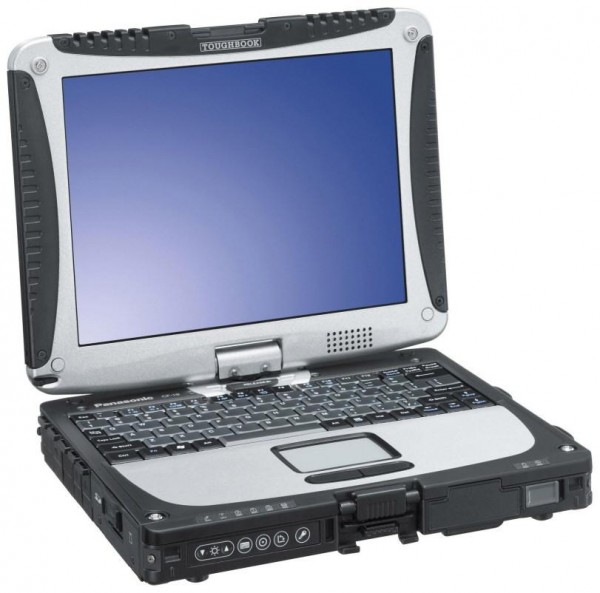
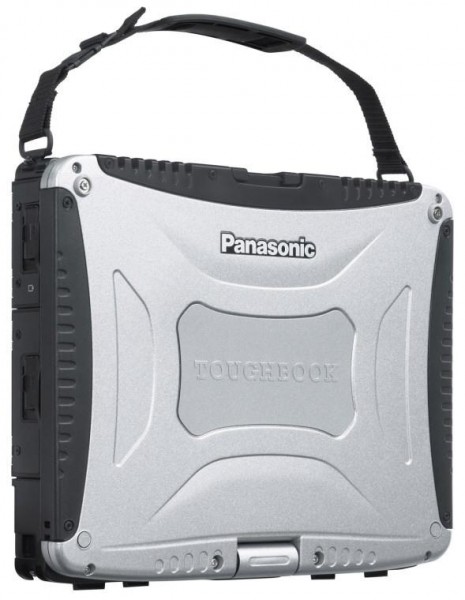
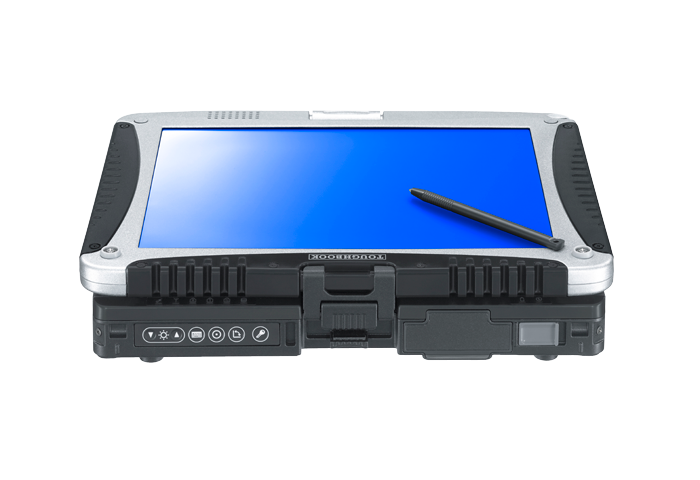
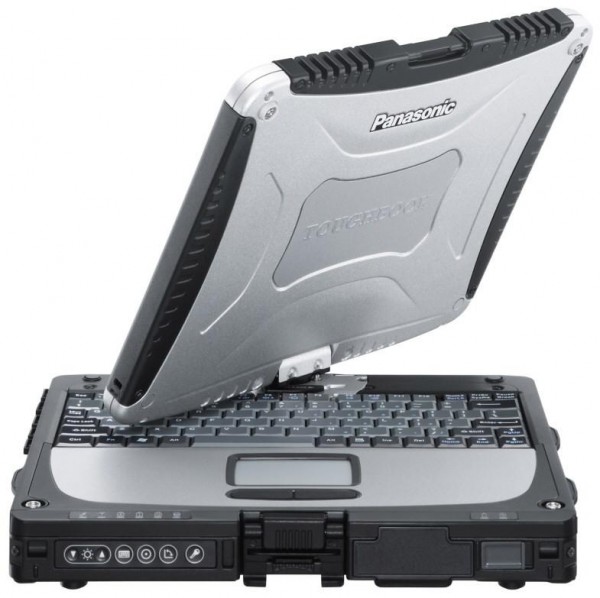
Panasonic ToughBook CF-19 Serie
 Prozessor: Intel Core Duo U2400, Intel Core i5 2520M, Intel Core i5 3320M
Grafikkarte: Intel Graphics Media Accelerator (GMA) 950, Intel HD Graphics 3000, Intel HD Graphics 4000
Bildschirm: 10.10 Zoll, 10.40 Zoll
Gewicht: 2.1kg, 2.3kg
Preis: 0, 3000, 4700 Euro
Durchschnitt von 9 Bewertungen (aus 12 Tests)
Panasonic ToughBook CF-19
Ausstattung / Datenblatt
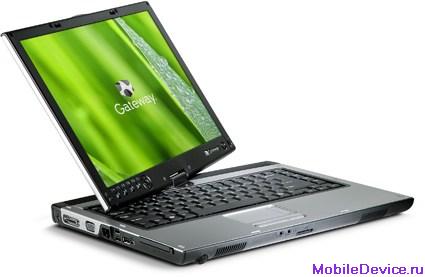 Notebook: Panasonic ToughBook CF-19
Prozessor: Intel Core Duo U2400
Grafikkarte: Intel Graphics Media Accelerator (GMA) 950 128 MB
Bildschirm: 10.40 Zoll, 4:3, 1024 x 768 Pixel
Gewicht: 2.1kg
Links: Panasonic Startseite Panasonic Notebooks Übersichtseite
Preisvergleich
Bewertung:
Testberichte
Quelle: PC Plus
 Archive.org version
Panasonic has persisted for many years with its Toughbook line. If ever there were a case of ‘if it ain’t broke, don’t fix it’, the Toughbook would be it. First, this is because the Toughbook was done well in the first place; but second, because it’s extraordinarily hard to break. And that is, after all, the point. We can’t, in good conscience, offer any prizes in terms of looks, but this is a practical machine first and foremost, built to withstand inclement conditions, and it’s armoured to the hilt. This doesn’t mean that you’ll be able to dunk it in water and get away with it, but its MIL-STD-810 certification means it’s built to withstand splashes and spills, vehicle vibration, the occasional drop, and harsh extremes of temperature.
eher kurz gehaltener Test; online abrufbar
Leistung gut, Display mäßig
Einzeltest, online verfügbar, Kurz, Datum: 16.02.2007
Bewertung: Leistung: 80% Bildschirm: 60%
Ausländische Testberichte
Quelle: PC Pro
 EN→DE Archive.org version
Panasonic's Toughbook laptops are a common sight at PC Pro, but it's usually in the shape of semi-rugged portables. The CF-19 is an altogether different animal. It's a beast of a laptop, aimed at use in extreme environments, from oil rigs to fishing trawlers. It's certainly one of the most solid laptops we've ever picked up. And what it lacks in portability - though compact, at 2.25kg this is not the lightest laptop in the world - it makes up for in sheer resilience. A rough, tough laptop with serious attitude, but its keyboard proves an Achilles heel.
67, Mobilität 60
Einzeltest, online verfügbar, Mittel, Datum: 14.04.2009
Bewertung: Gesamt: 67% Mobilität: 60%
Quelle: Laptop Mag
EN→DE Archive.org versionThis 10-inch rugged tablet offers field-workers epic battery life and a bright display, although the keyboard might be too cramped for some users. As a fully rugged 10-inch notebook, the Panasonic Toughbook 19 occupies a class all its own. If you want a military-grade notebook that will last the whole day and won’t break your back—and you have the room in your budget—the Toughbook 19 is an excellent choice.
80, Display 80, Mobilität 80
Einzeltest, online verfügbar, Lang, Datum: 02.04.2009
Bewertung: Gesamt: 80% Bildschirm: 80% Mobilität: 80%
Quelle: Laptop Mag
EN→DE Archive.org versionThe Toughbook line continues to impress with the CF-19, a machine that begs to be used and abused in a rough-and-tumble environment. Its daylight-readable touchscreen is the standout feature, along with its bevy of tucked-away slots and ports. At almost $4,300, this isn't your run-of-the-mill, spill-a-little-coffee-on-it semi-rugged notebook. It's a fully ruggedized computer that's designed to perform in the field.
eher kurz gehaltener Test; online abrufbar
3. 5 von 5, Leistung gut
Einzeltest, online verfügbar, Kurz, Datum: 16.03.2007
Bewertung: Gesamt: 70% Leistung: 80%
Quelle: Trusted Reviews
EN→DE Archive.org versionIf you want a reasonably small and light notebook that will stand up to almost anything you’re likely to throw at it, the ToughBook CF-19 is just what you’re looking for. The keyboard doesn’t lend itself to writing long reports or essays, but this machine is more likely to be used with bespoke applications for data entry out in the field. With the option of an HSDPA module, engineers and field workers will now be able to communicate and send data back to the office even faster. If however you’re looking for something that is tough as nails and can be used to write long documents just like any other notebook, you’re probably better off waiting for the forthcoming ToughBook CF-30, which I’ll be reviewing soon. Ultimately, the CF-19 makes a few ergonomic sacrifices for the sake of weight and size, while throwing the tablet style operation into the mix, and if that’s what you need, look no further.
ausführlicher Test mit Geräteaufbau und Testwerten und Bildern; online abrufbar
(von 10): 8, Preis/Leistung 7, Leistung 8, Ausstattung 8, Ergonomie mangelhaft
Einzeltest, online nicht verfügbar, Länge unbekannt, Datum: 20.01.2007
Bewertung: Gesamt: 80% Preis: 70% Leistung: 80% Ausstattung: 80% Ergonomie: 50%
Quelle: Notebook Italia
 IT→DE Archive.org version
Einzeltest, online verfügbar, Lang, Datum: 05.08.2008
Bewertung: Preis: 40%
Panasonic Toughbook CF-19, Sandy Bridge
Ausstattung / Datenblatt
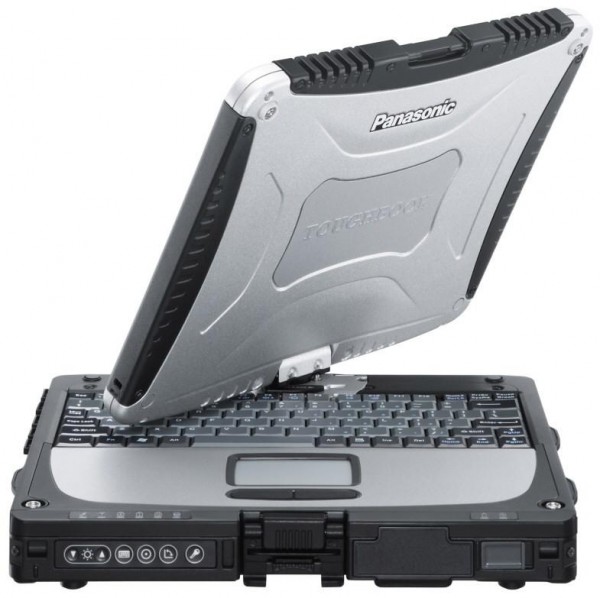 Notebook: Panasonic Toughbook CF-19, Sandy Bridge
Prozessor: Intel Core i5 2520M
Grafikkarte: Intel HD Graphics 3000
Bildschirm: 10.10 Zoll, 16:10, 1024 x 600 Pixel
Gewicht: 2.3kg
Preis: 4700 Euro
Links: Panasonic Startseite Panasonic Notebooks Übersichtseite Toughbook CF-19, Sandy Bridge (Modell)
Preisvergleich
Bewertung:
Testberichte
Quelle: Notebookinfo
Archive.org versionDas Panasonic Toughbook CF-19 bietet ausreichend Leistung für gängige Office- und Business-Anwendungen und genügend Schutz, um auch unter härtesten Bedingungen eingesetzt zu werden. Für Privatpersonen ist es aufgrund des hohen Preises von 3.900 Euro allerdings zu kostspielig.
Einzeltest, online verfügbar, Mittel, Datum: 04.11.2011
Bewertung: Gesamt: 88% Leistung: 90% Bildschirm: 95% Mobilität: 90% Ergonomie: 85% Emissionen: 88%
Ausländische Testberichte
Quelle: Techradar
EN→DE Archive.org versionThe Panasonic Toughbook range has long been the poster child for rugged laptops and the CF-19 is another impressive model. Unless you regularly work outside or in hostile conditions, you won't need a Toughbook and Panasonic confirms that this model isn't intended for consumer use. But for the engineers and adventurers among you, it's got some great features that make it an obvious choice.
Einzeltest, online verfügbar, Sehr kurz, Datum: 26.05.2012
Bewertung: Gesamt: 60%
Quelle: Good Gear Guide
EN→DE Archive.org versionOverall, the Panasonic Toughbook CF-19 is perhaps a little too small to be practical. Its keys are small and the keyboard cramped overall, and its touchpad can be tiring to use. It could perhaps use an 11.6in or 12.1in form factor, which would make it a little more comfortable. Or, you could opt for the CF-31, which has a 13.1in screen, although it lacks the ability to be converted into a tablet.
Einzeltest, online verfügbar, Lang, Datum: 12.03.2012
Bewertung: Gesamt: 70%
Quelle: Tech Advisor
EN→DE Archive.org versionThe Panasonic Toughbook CF-19 feels every bit as tough as it. It's rugged features allow it to withstand the elements and clumsiness. It's well suited for field assignments and factory floors, and basically useful to any professional that has to work outdoors.
Einzeltest, online verfügbar, Sehr kurz, Datum: 12.03.2012
Bewertung: Gesamt: 70%
Panasonic ToughBook CF-19, Ivy Bridge
Ausstattung / Datenblatt
Notebook: Panasonic ToughBook CF-19, Ivy BridgeProzessor: Intel Core i5 3320M
Grafikkarte: Intel HD Graphics 4000
Bildschirm: 10.10 Zoll, 16:10, 1024 x 600 Pixel
Gewicht: 2.3kg
Preis: 3000 Euro
Links: Panasonic Startseite Panasonic Notebooks Übersichtseite
Preisvergleich
Bewertung:
Ausländische Testberichte
Quelle: Trusted Reviews
EN→DE Archive.org versionThe Panasonic Toughbook CF-19 certainly doesn’t disappoint in this regard. It’s tough as nails and built like a brick. It’s absolutely stuffed with connectivity and features while offering superb battery life. And it has very little competition as it’s the one of a very few big-brand, fully rugged convertible tablet/laptops that’s widely available. However, its low screen quality and resolution are disappointing in a device this expensive.
Einzeltest, online verfügbar, Lang, Datum: 28.11.2012
Bewertung: Gesamt: 80% Preis: 70% Leistung: 80% Ausstattung: 100% Mobilität: 100% Ergonomie: 90%
Quelle: Gadgetmix
EN→DE Archive.org versionGo-anywhere mobile connectivity for this Toughbook 19 is assured via optional 4G/LTE (Verizon, or AT&T) or Gobi 3G modules, and integrated GPS can be wired in so your seargant knows where you are in the field while he sups his brandy-laced tea from the comfort of his favorite armchair. And just to remind you it isn’t a toy, there’s a sobering $3549 price tag to keep your frost-bitten feet on the ground. 36-month guarantee is included in the price.
Einzeltest, online verfügbar, Sehr kurz, Datum: 07.09.2012
Kommentar
Panasonic: Die Panasonic Corporation wurde 1918 in Japan gegründet und damit einer der ältesten Elektronikkonzerne (wenn auch mit Glühbirnen-Verkauf begonnen wurde). Das Unternehmen ist in verschiedenen Geschäftsbereichen tätig, darunter Elektronik, Haushaltsgeräte, Automobiltechnologie, Luft- und Raumfahrt, Energie und Umwelttechnologie. Panasonic vertreibt weltweit Fernseher, Kameras, Audio- und Videogeräte, Haushaltsgeräte wie Kühlschränke und Waschmaschinen, Batterien, Solarmodule und LED-Beleuchtung. Panasonic ist auch ein wichtiger Lieferant von Komponenten und Systemen für die Automobilindustrie und hat in den letzten Jahren in den Bereichen künstliche Intelligenz und Robotik investiert.
3D Spiele sind auf diesen Vertretern nur in Ausnahmen spielbar, grundsätzlich sind die Grafiklösungen hierfür jedoch nicht geeignet. Office Programme und Internet surfen dürfte jedoch ohne Problem möglich sein.
Intel Graphics Media Accelerator (GMA) 950: Integrierter (onboard) Grafikchip auf Mobile Intel 945GM/C/Z/ME/ML Chipsätzen und Nachfolger des GMA 900. Kein Hardware T&L (für manche Spiele benötigt). Für Spiele kaum geeignet.
Diese Karten können nur sehr alte und sehr anspruchslose 3D Spiele flüssig darstellen. Anwendungen wie Office, Internet surfen, Bildbearbeitung oder (SD) Videoschnitt sind jedoch ohne große Einschränkungen möglich.
Intel HD Graphics 3000: In Sandy Bridge Prozessoren (Core ix-2xxx) integrierte Grafikkarte von Intel. Stärkere GT2 genannte Version mit 12 Execution Units (EUs). Je nach Modell mit unterschiedlichen Taktraten (350-650MHz) und TurboBoost Unterstützung (900-1350MHz).
Einige nicht anspruchsvolle aktuelle Spiele können mit geringen Details noch flüssig gespielt werden. Für Office und Video natürlich ausreichende Leistungsreserven.
Intel HD Graphics 4000: In Ivy Bridge Prozessoren (3. Generation Core) integrierte Grafikkarte in höchster Ausbaustufe. Je nach Prozessor (ULV bis Desktop Quad-Core) unterschiedlich getaktet.
» Weitere Informationen gibt es in unserem Notebook-Grafikkartenvergleich und der Benchmarkliste.
Intel Core Duo: Doppelkernprozessor mit einem sehr guten Leistungs- zu Stromverbrauchsverhältnis. Die maximale Leistungsaufnahme von 31 Watt ist nur 4 Watt mehr als beim Pentium M (Vorgänger). Beide Kerne werden automatisch und unabhängig von einander per Speedstep bis auf 1 GHz abgesenkt. Außerdem unterstützt er nun auch SSE3 Befehle.
Nach ersten Benchmarks absolviert der Core Duo alle Tests mindestens genauso schnell wie ein gleichgetakteter Pentium M. Bei Anwendungen die für Multiprozessoren geplant wurden, kann die Performance fast doppelt so schnell ausfallen als beim Pentium M (z.B. CineBench um 86% schneller)
Intel Core i5:
2520M: Auf Sandy Brige Architektur basierender Doppelkernprozessor mit integrierter Grafikkarte und integriertem DDR3 Speicherkontroller.
3320M: Auf der Ivy Brige Architektur basierender High-End Doppelkernprozessor (2,6-3,3GHz) mit integrierter Grafikkarte und integriertem DDR3 Speicherkontroller.
» Weitere Infos gibt es in unserem Prozessorvergleich Vergleich mobiler Prozessoren und der Prozessoren Benchmarkliste .
» Prüfen Sie in unserer DPI Liste, welche Displays wie fein aufgelöst sind.
2.1 kg:
Most smartphones and only a few tablets fall into this weight category. Only a few smartphones are heavier and should rather be considered tablets.
2.3 kg:
73.89%: Diese Bewertung ist schlecht. Locker drei Viertel der Modelle werden besser beurteilt. Das ist eher keine Kaufempfehlung. Auch wenn Verbalbewertungen in diesem Bereich gar nicht so schlecht klingen ("genügend" oder "befriedigend"), meist sind es Euphemismen, die eine Klassifikation als unterdurchschnittliches Notebook verschleiern.
» Lesen Sie auch unsere Notebook-Kaufberatung.